Google Now Lets You Manage WhatsApp Backups From Android Settings
By Khushal Charaniya · Updated June 19, 2026 · 7 min read
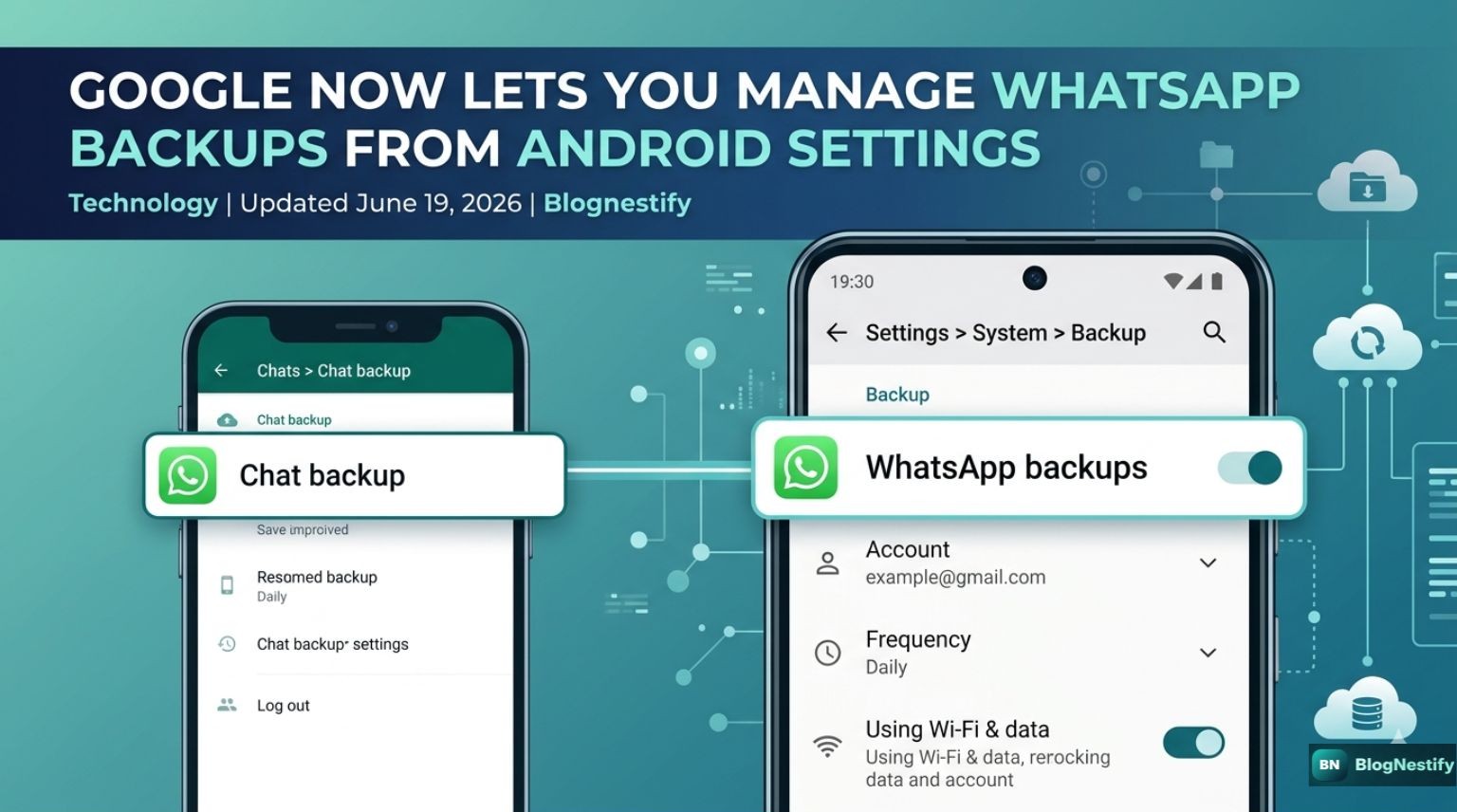
A new Google Play services update, version 26.23, adds a way to manage your WhatsApp chat backups directly from Android's own Settings app instead of digging through WhatsApp's menus. The change is rolling out now, tied to this week's Android 17 stable release and the June 2026 Pixel Drop, though it isn't guaranteed to have reached your phone yet.
If you've ever lost track of whether your chat history is actually backing up, or you simply forgot which submenu WhatsApp hides that toggle in, this is a small but useful fix. Here's what's actually changing, what stays the same, and how to check your own device.
What's changing with WhatsApp backups on Android
Right now, WhatsApp backup settings live entirely inside the app: open WhatsApp, tap Settings, then Chats, then Chat backup. That's where you pick your backup account, set the frequency, and choose whether backups run over Wi-Fi only or also use mobile data. It works fine, but it's also easy to forget exists, since most people never open that submenu after the first setup.
Google Play services v26.23 adds a second way in. Once the update is live on a device, a WhatsApp backup entry is expected to show up under Settings, System, Backup, alongside the rest of Android's own backup and restore options. Early coverage from Android Authority and 9to5Google indicates this surfaces most or all of the same controls found in WhatsApp's existing settings page: which account backs up, how often, and your data usage preferences.
Key takeaway: This is an additional access point, not a replacement. WhatsApp's own backup menu keeps working exactly as before, even after you get the update.
Why Google is moving this into system settings
Folding a third-party app's backup controls into Android's own Settings app is a bigger structural move than it looks. It puts WhatsApp's data on the same shelf as the rest of your Google account's backup footprint, rather than treating it as something separate that lives inside the app itself. That fits a pattern Google has been building for a while on Pixel devices, where account, privacy, and storage controls are gradually getting consolidated into one place instead of being scattered across individual apps.
For everyday users, the practical upside is smaller but more direct: one less app to open when you're trying to check whether your chats are actually safe before, say, switching phones or wiping a device.
How to check if you have the update
- Open Settings on your Android phone.
- Go to System, then Software updates, then Google Play system update.
- If version 26.23 or newer is listed, tap to install it.
- After installing, check Settings > System > Backup for a WhatsApp entry.
Play services updates roll out in stages, so installing it doesn't guarantee the new page appears immediately. If it's missing, the old route through WhatsApp's own settings still gives you full control over your backups in the meantime.
Old method vs. new method
| Aspect | WhatsApp app settings | New Android Settings page |
|---|---|---|
| Where to find it | WhatsApp > Settings > Chats > Chat backup | Settings > System > Backup |
| Backup account selection | Available | Expected to be available |
| Backup frequency and Wi-Fi/data settings | Available | Expected to be available |
| End-to-end encrypted backup controls | Available | Not yet confirmed |
| Requires opening WhatsApp | Yes | No |
What it doesn't change
A couple of things stay exactly the same. WhatsApp backups on Android still go to Google Drive, and they still count against the same storage quota shared with your Gmail and Google Photos. Moving the settings page doesn't free up extra space or change how those files are stored; it only changes where you go to look at and adjust the settings.
It's also worth keeping this separate from a different project WhatsApp is reportedly working on: an independent cloud backup system that wouldn't rely on Google Drive or iCloud at all. According to reports from WABetaInfo earlier this year, that system would use mandatory end-to-end encryption and passkey-based unlocking, letting users store backups on WhatsApp's own infrastructure instead. That hasn't launched, and it's unrelated to this Play services update, even though both involve the word "backup."
Other changes that arrived alongside it
The WhatsApp backup page wasn't the only thing in this month's Android system updates. Google Play services v26.21, released June 1, added support for the Credential Exchange standard, letting you move saved passwords and passkeys between Google Password Manager and other password managers. The same wave of updates added extra Play Protect scanning for unverified apps, setup options for Find Hub, and an AI-powered "Ask Play" search experience inside the Play Store. None of those directly touch WhatsApp, but they landed in the same monthly release cycle as part of Google's broader push to update Android-wide services without waiting for a full OS upgrade.
Frequently asked questions
How do I get the new WhatsApp backup settings on Android?
Go to Settings, then System, then Software updates, then Google Play system update, and install it if version 26.23 or later is offered. Once installed, check Settings, System, Backup for the new WhatsApp entry. Rollouts are staged, so it may take a few days to appear.
Does this replace WhatsApp's own backup settings?
No. WhatsApp's existing path, under Settings, Chats, Chat backup inside the app, still works exactly as before. The new page is an additional entry point, not a replacement.
Will it let me turn on encrypted backups?
That's not confirmed yet. Encrypted backup controls, including setting a password, a 64-digit key, or a passkey, currently live inside WhatsApp's own menu. Whether the new Android Settings page includes them is still unclear.
Is this the same as WhatsApp's own independent cloud backup plan?
No, they're separate efforts. This update changes where you access existing Google Drive based backup settings. WhatsApp's reported independent cloud storage project hasn't launched and isn't connected to this Play services release.
Why does WhatsApp backup still count against my Google storage?
On Android, backups are stored in Google Drive and share the same quota as Gmail and Google Photos. Where you manage the settings has changed; where the files live hasn't.
The bottom line
This isn't a flashy feature, and it doesn't change anything about how WhatsApp backups actually work under the hood. What it does is put a setting people regularly lose track of somewhere they're far more likely to find it. If you've never been totally sure your chat history is backed up, this update is a decent excuse to check, whether you end up doing it through the new Settings page or the old WhatsApp menu.
Written by Khushal Charaniya
Khushal Charaniya is the Founder and Editor of Blognestify, covering technology, AI, and cybersecurity. He tracks Android and Google Play services releases closely and writes about what new updates actually mean for everyday users.
Sources: Android Authority, 9to5Google, TechRepublic, Gadget Hacks, WABetaInfo. Information current as of June 19, 2026; feature rollout details may change as Google expands availability.
0 Comments
Leave a Comment