Android 17 Preview: What Gemini Intelligence and Pause Point Actually Mean for You
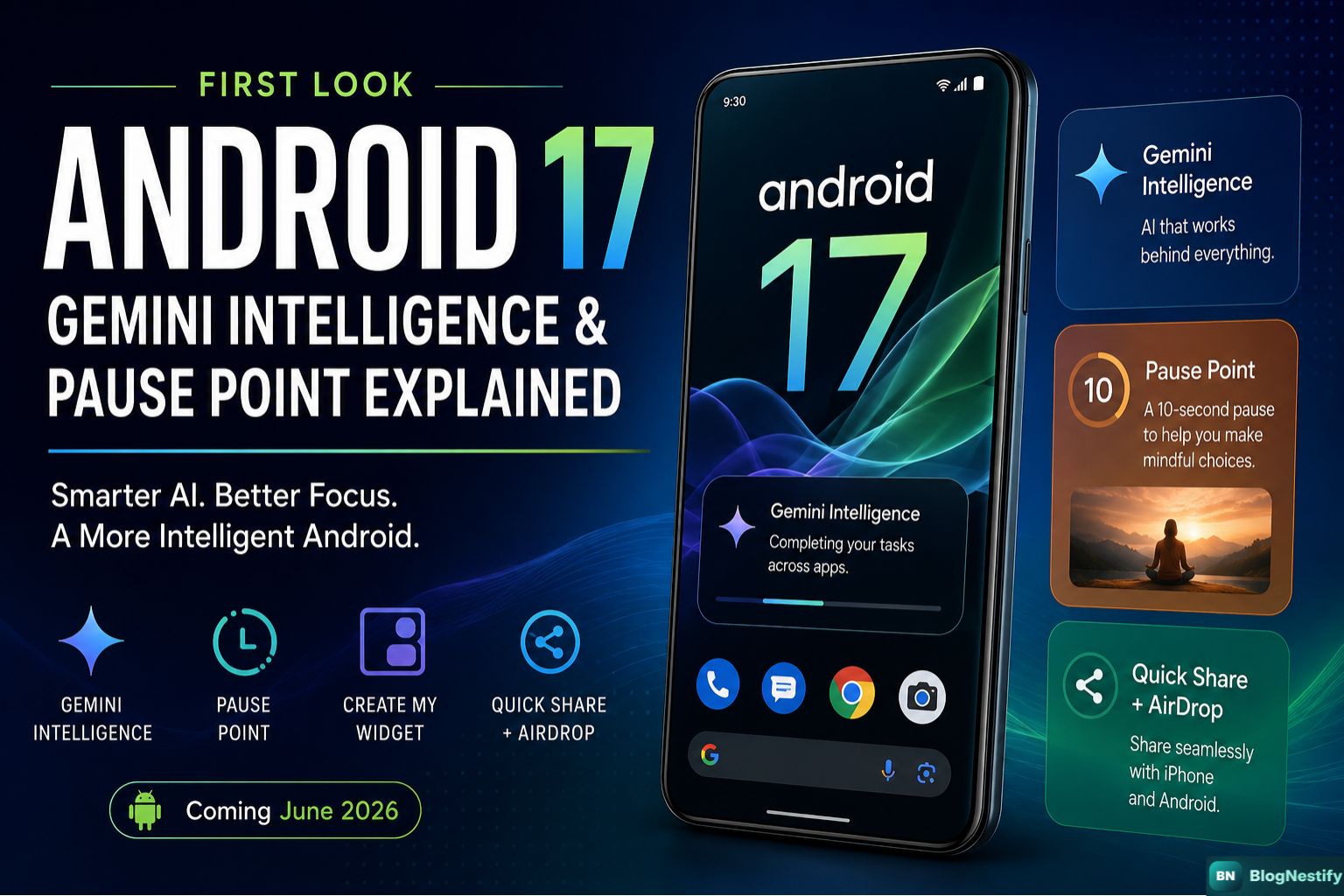
Google just showed off Android 17 at The Android Show: I/O Edition 2026, and the two features everyone is talking about — Gemini Intelligence and Pause Point — deserve a proper look beyond the press release language.
What Google Actually Announced
On May 12, 2026, Google held a standalone event called The Android Show: I/O Edition — separate from Google I/O, which kicks off May 19. The decision to front-load Android 17 news into its own show says something about how Google is thinking about the platform right now. This isn't just an OS update. Google is explicitly calling it a shift from "operating system" to "intelligence system."
That framing is ambitious. Whether the features live up to it is a different question, and one worth taking seriously rather than just taking Google's word for it.
Quick Facts: Android 17 at a Glance
- Announced May 12, 2026 at The Android Show: I/O Edition
- Stable release expected June 2026
- First devices: Google Pixel 10 and Samsung Galaxy S26
- Flagship AI suite: Gemini Intelligence
- Key wellbeing feature: Pause Point (10-second friction delay)
- Gemini Chrome features arrive late June 2026
- Expands later to watches, cars, glasses, and laptops
Gemini Intelligence: Beyond the Branding
The name "Gemini Intelligence" is clearly a response to Apple's "Apple Intelligence" branding. That's fine — competition in naming conventions is the least interesting part of what's being announced here.
The actual idea behind Gemini Intelligence is that Gemini stops being an app you open and starts being a layer that runs underneath everything. That's a meaningful shift if it works as described. On current Android, using Gemini for anything useful requires actively switching to the Gemini app, doing the task, then going back to whatever you were doing. The whole point of Gemini Intelligence is to collapse that friction.
Multi-Step Task Automation
The demo Google showed was a parent asking Gemini to find their child's class syllabus inside Gmail and then add the required books to a shopping cart. One sentence spoken aloud. Gemini found the email, read the syllabus, identified the books, switched to a shopping app, and filled the cart. The user confirmed before checkout.
That's the best case. Whether it handles messier real-world inputs — a disorganized inbox, a syllabus buried in a PDF attachment, a shopping app that Gemini doesn't have good integration with — is the real test. Google has made proactive AI promises before. Magic Cue on the Pixel 10 was supposed to work this way and barely registered for most users.
Gemini Intelligence is not a new app. It's a background layer built into Android 17 that lets Gemini move between apps and complete tasks without you having to manually switch contexts.
The Full Gemini Intelligence Feature Set
Multi-Step Automation
Speak a request. Gemini handles the app-switching. Pauses for confirmation before purchases or posts go through.
Rambler (Gboard)
Turns spoken input into clean text. Cuts filler words, repeated phrases, and self-corrections in real time. Works across languages in the same sentence.
Create My Widget
Describe a home screen widget in plain language. Gemini builds it. Weather, countdowns, recipes, stocks — if you can describe it, it can build it.
Intelligent Autofill
Pulls context from Gmail, Google Photos, and search history to fill complex forms. Opt-in only. Can read passport details from a photo to complete travel forms.
Gemini in Chrome
Summarises webpages, compares content across sites, adds events to Calendar and ingredients to Keep — all from within the browser. Arrives late June 2026.
Visual Context
Point the camera at something physical — a brochure, a menu, a sign — and Gemini can take action based on what it sees, without you retyping anything.
Rambler is genuinely interesting because it solves a real, tedious problem. Voice-to-text on most phones captures what you literally said, including every "um" and half-formed thought. Rambler is supposed to capture what you actually meant. That difference matters for anyone who uses voice input regularly. The catch: audio goes to the cloud for processing, even though Google says it isn't stored.
Pause Point: The Wellbeing Feature With a Twist
Pause Point is either clever digital design or a mild annoyance depending on your perspective — and honestly, it might be both.
Here's how it works: you mark certain apps as distracting. When you try to open one of them, you don't go straight into the app. You get a 10-second gap instead. During those 10 seconds you can do a short breathing exercise, glance at a favourite photo, or just wait. You can also tell it to suggest an alternative app entirely — like an audiobook instead of a social feed.
What Makes Pause Point Different
Most app limits on Android and iOS let you set daily time caps. You hit the cap, you get a warning, you tap "Ignore Limit," and you're in. The limit is theatre.
Pause Point works differently. It doesn't block the app. It just slows you down before you're already inside it, which is where the decision actually matters. You haven't started scrolling yet. The pull is weaker when you haven't been triggered by the first ten posts.
The most telling design detail: to turn Pause Point off, you need to restart your phone. That's deliberate friction. It makes impulsive disabling much harder than a settings toggle would.
The restart requirement will irritate some people. That's probably the point. Anyone who has watched themselves tap past a screen time warning five times in a row knows that low-friction overrides don't really work. Google is betting that requiring a full restart is enough of a barrier that most people won't bother disabling it on impulse.
Whether 10 seconds is long enough to actually interrupt a habit is a genuine open question. The research on habit interruption suggests that even brief delays can reduce impulsive behaviour — but those studies aren't done on phone addiction specifically, and individual results will vary a lot.
Everything Else Coming in Android 17
Visual Refresh
Android 17 gets a frosted "blur" design: translucent, glass-like layers across the notification shade, volume panel, and power menu. Wallpaper colours bleed through the system UI. It's the design direction that's been showing up in leaks for months, and it looks genuinely different from what Android has had for the past few years.
3D Emoji — All 4,000+ of Them
Google is replacing its flat emoji set with Noto 3D, a redesigned collection with depth and shading. The new designs lean noticeably more three-dimensional. This will either delight you or make your texts look like a video game from 2004, depending on your taste.
Quick Share Now Talks to AirDrop
This one is practical. Quick Share now works directly with Apple AirDrop on Pixel and Samsung devices, expanding to OPPO, OnePlus, Vivo, Xiaomi, and HONOR throughout the year. No compatible device? Any Android phone can generate a QR code to share files with iOS via the cloud. The long and frustrating era of Android-to-iPhone file sharing via email or third-party apps is getting considerably shorter.
Screen Reactions
Both front and back cameras can film simultaneously for reaction-style social media videos. Instagram gets deeper Android integration — UHD capture and automatic image stabilization — thanks to collaboration between Google and Meta.
Gemini in Cars
Android Auto gets expanded Gemini integration. Gemini can grab context from incoming messages and suggest replies. It can also place food orders through apps like DoorDash while driving. Cars with Google built-in — now available in over 100 models — are getting Zoom support and the ability to answer vehicle-specific questions, including explaining dashboard warning lights and estimating whether objects will fit inside the car.
Scam Protection
Android 17 adds improved on-device scam detection, including real-time analysis of calls and messages for signs of social engineering. Details on this one are sparse, but it's clearly a response to the explosion of AI-assisted scams over the past 18 months.
Release Timeline & Device Compatibility
Android 17 officially announced at The Android Show: I/O Edition.
Gemini in Chrome features arrive. Android 17 stable release begins.
Gemini Intelligence rolls out on Google Pixel 10 and Samsung Galaxy S26 first.
Expansion to Android watches, cars, glasses, and Googlebook laptops.
Quick Share / AirDrop compatibility expands to OPPO, OnePlus, Vivo, Xiaomi, and HONOR devices.
If you're not on a Pixel 10 or Galaxy S26, a realistic wait for the full Gemini Intelligence feature set is probably late 2026 at the earliest for most mid-range Android devices — and possibly 2027 for older hardware. Google has not released a definitive compatibility list beyond the flagship tier.
Android 17 vs iOS 27: The AI Race
Apple's iOS 27 reveal is coming roughly a month after this Android 17 preview — likely at WWDC in June. The timing of Google's standalone event looks intentional. Get the Android 17 narrative out before Apple has a chance to dominate the conversation.
| Feature Area | Android 17 (Gemini Intelligence) | iOS 27 (Apple Intelligence) |
|---|---|---|
| AI branding | Gemini Intelligence | Apple Intelligence |
| Multi-step task automation | Announced, rolling out summer 2026 | Promised at WWDC 2024, still incomplete as of 2026 |
| On-device voice input cleanup | Rambler (Gboard, opt-in) | Writing Tools (system-wide) |
| Digital wellbeing friction | Pause Point (10s delay + restart to disable) | Screen Time (tap-to-ignore limit) |
| Cross-platform file sharing | Quick Share + AirDrop (expanding) | AirDrop + NameDrop |
| Visual context AI | Live camera input for Gemini | Image Playground + Visual Intelligence (expected) |
| Custom widgets via AI | Create My Widget | Not announced |
The multi-step automation comparison is worth sitting with. Google promised this, has a working demo, and is shipping it this summer. Apple promised essentially the same thing — a rebuilt Siri capable of taking complex cross-app actions — at WWDC 2024. It's now mid-2026 and the feature still isn't fully delivered. Google has a genuine window here, assuming its own demo holds up outside of controlled conditions.
Android 17 Is Interesting If the Demo Holds
The Gemini Intelligence vision is genuinely different from what Android has done before — Gemini as a background layer rather than a separate app. Pause Point is a thoughtful wellbeing design that respects the fact that tap-to-ignore limits don't work. The practical questions are still open: will multi-step automation handle real-world messiness, will it reach mid-range devices in any reasonable timeframe, and will Gemini features you can't turn on without a flagship phone actually matter to most Android users? That last question is the one Google still hasn't answered.
0 Comments
Leave a Comment