Apple macOS 27 Is Getting a Liquid Glass Redesign — Here's Everything Leaked Before WWDC 2026
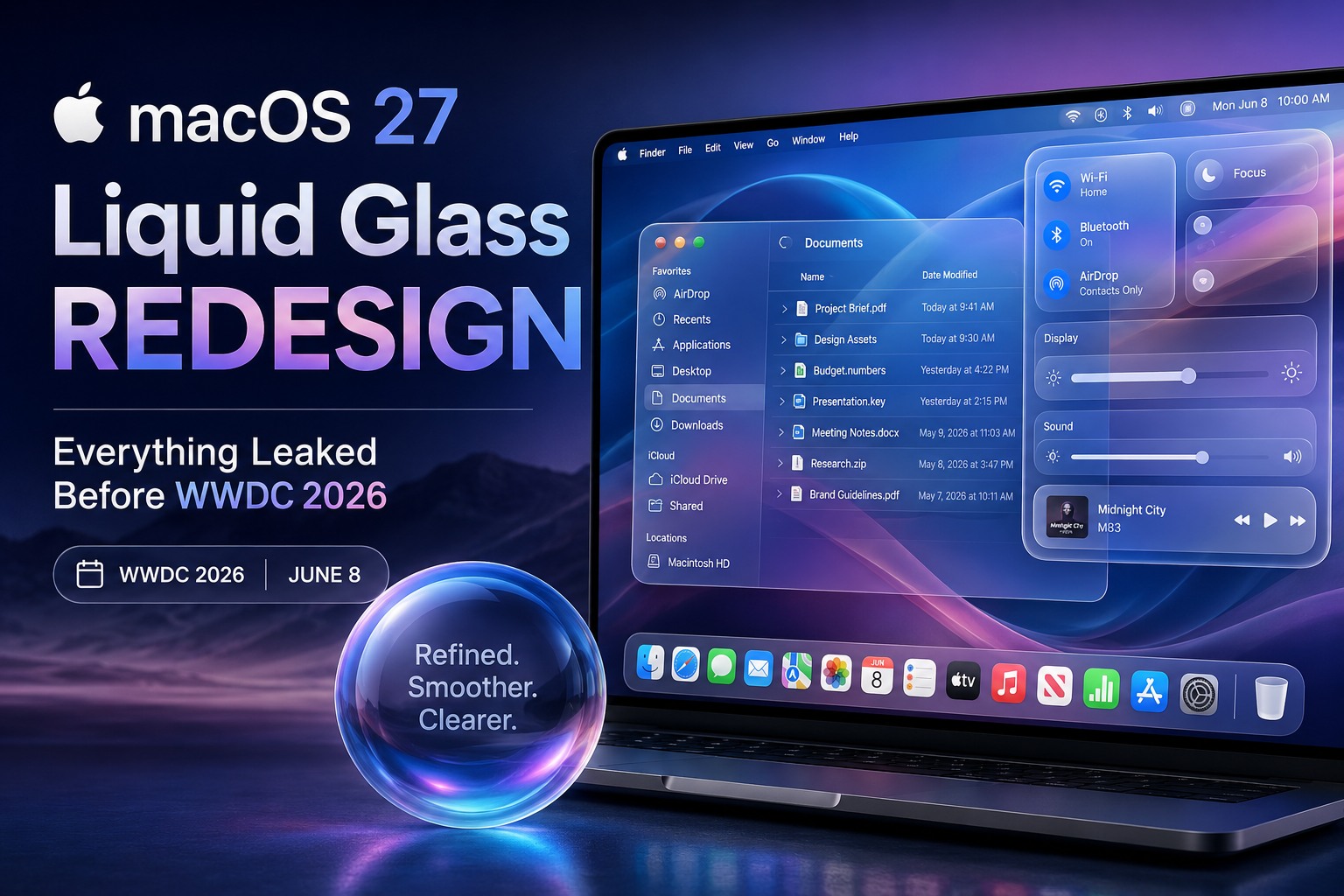
Reports from Bloomberg's Mark Gurman confirm that macOS 27 will ship with a notable Liquid Glass interface overhaul. The update, expected at WWDC on June 8, targets the transparency and shadow issues that frustrated Mac users all year.
Conceptual illustration of Apple's Liquid Glass interface planned for macOS 27 — expected at WWDC on June 8, 2026.
Four weeks out from WWDC, and Apple is already managing expectations — though not in the way you might expect. Instead of unveiling something radically new, the company is quietly preparing to fix something it already shipped. The target? Liquid Glass, the controversial design overhaul that defined macOS Tahoe and divided Mac users like almost no software update in recent memory.
Bloomberg's Mark Gurman dropped the details in his Power On newsletter over the weekend. The short version: macOS 27 will feature what Apple employees are internally calling a "slight redesign" of Liquid Glass, with a focus on readability, shadows, and transparency effects that caused headaches across Finder, Control Center, and apps with heavy text and sidebar layouts.
What Is Liquid Glass, and Why Does It Matter?
If you haven't been following closely: Liquid Glass is Apple's first unified design language across all its operating systems since the flat design era that started with iOS 7 back in 2013. It debuted at WWDC 2025 and shipped across iOS 26, iPadOS 26, macOS Tahoe, watchOS 26, and tvOS 26.
The concept is borrowed partly from visionOS — that spatial computing aesthetic where UI elements appear to float, refract light, and respond to their surroundings like actual glass would. Buttons shimmer. Windows have specular highlights. The whole Dock and menu bar gained a translucent quality that makes the display feel wider and less cluttered. Apple described it as a material that "reflects and refracts its surroundings, while dynamically transforming to bring greater focus to content."
Apple drew from three eras of its own history to build Liquid Glass: the Aqua interface of early macOS, the Gaussian blur effects from iOS 7, and the floating panels of visionOS. Craig Federighi said designers literally studied real glass properties in Apple's industrial design studios.
On iPhones, the reception was broadly positive. The transparency effects pop on modern OLED panels, and the interface feels more expressive without sacrificing speed. On Macs? The story got complicated fast.
What Actually Went Wrong in macOS Tahoe
The Mac version of Liquid Glass launched under-baked. That's not an outside criticism — it's essentially what Gurman's sources inside Apple are now saying explicitly. The implementation that shipped in macOS 26 "didn't necessarily suffer from design problems," per the report, but from a "not-completely-baked implementation from Apple's software engineering team."
The practical result of that gap between design intent and engineering execution: text got harder to read in a lot of places. The transparency effects that look stunning on a glance became genuinely disorienting in use. If you spent any real time in Finder's sidebar or scrolling through dense lists in Control Center, you probably noticed it. Shadows and glass layers stacked in ways that made contrast suffer, especially on bright-colored wallpapers.
"The issue is especially noticeable in Control Center, Finder, and apps with sidebars and dense lists. In several places, the new textures reduce text clarity or create interface confusion."
— Mark Gurman, Bloomberg Power On Newsletter, May 2026It's worth noting the Mac was almost an afterthought in the Tahoe design reveal. Apple spent a solid 15 minutes walking through the iOS 26 redesign in detail at WWDC 2025, then covered Liquid Glass on Mac in roughly 90 seconds. The design team had clearly iterated most heavily around phone screen sizes and touch interactions, and then mapped that to macOS somewhat hastily. That asymmetry in development attention shows in the final product.
What macOS 27 Actually Changes
According to Gurman, the macOS 27 update targets three problem areas: shadow behavior, opacity handling, and transparency consistency. The changes are designed not to kill Liquid Glass but to make it work the way Apple's design team always intended. Think of it as closing the gap between the concept renders Apple showed developers and what actually shipped to 200 million Mac users.
Two additional leaks landed alongside the redesign news. First, Apple is testing an AI-powered Safari feature that automatically organizes open tabs into groups, accessible through a new "Organize Tabs" option in the center-top tab switcher. This is expected across macOS 27, iOS 27, and iPadOS 27. Second, Siri in iOS 27 is reportedly getting a new Dynamic Island interface with a "Search or Ask" prompt and a glowing cursor — a signal that Apple is still pushing hard on making its AI assistant feel more integrated.
What Changes in Practice
Based on reporting across MacRumors, 9to5Mac, AppleInsider, and Engadget — which are all describing the same Gurman-sourced information — here's where the refinements land:
| Area | macOS 26 Tahoe | macOS 27 (Expected) |
|---|---|---|
| Finder Sidebar | Legibility issues | Improved readability |
| Control Center | Heavy transparency | Refined opacity |
| Text-heavy apps | Reduced contrast | Being addressed |
| Shadow rendering | Inconsistent | More polished |
| Overall design language | Liquid Glass (v1) | Liquid Glass (refined) |
| Safari tab management | Manual only | AI auto-grouping |
The LCD vs. OLED Problem Nobody Talks About Enough
Here's an angle that doesn't get enough attention in the broader discourse: Liquid Glass was designed for OLED screens. Most Macs are still running LCD panels.
That's not a minor technical footnote. OLED technology handles transparency, layering, and glass-like effects fundamentally differently than LCD. On OLED, each pixel produces its own light, which means translucent overlays look genuinely layered — the underlying content bleeds through with natural depth. On LCD, light comes from a backlight behind the panel, and translucency effects are simulated rather than physically rendered. The result is that the same Liquid Glass effects that feel immersive on an iPhone 17 or Apple Watch look somewhat flat and murky on most MacBook Pros and iMacs.
Apple reportedly has an OLED touch-screen MacBook Pro in development. Once that hardware arrives, Liquid Glass should look considerably closer to how Apple originally envisioned it. For now, the macOS 27 refinements are partly an acknowledgment that the design needs to work better within current hardware constraints, not just on the hardware that's coming.
This Isn't Apple's First Rodeo: The iOS 7 Parallel
Multiple outlets have noted the obvious historical comparison, and Gurman drew it explicitly: this is basically iOS 7 to iOS 8 all over again.
iOS 7 was Apple's most disruptive UI overhaul since the original iPhone. Jony Ive replaced the skeuomorphic leather-and-wood aesthetic with flat, almost brutally minimal design. The reception was polarizing. Some loved it; a lot of people found it visually jarring and difficult to navigate. Apple spent the following year in iOS 8 quietly sanding down the rough edges — better contrast, more refined typography, less aggressive motion — without ever admitting the original execution had problems.
The Liquid Glass situation rhymes closely. Apple won't walk anything back, but they're clearly listening. The fact that the fix is being framed internally as "making it look the way the design team intended from the start" is Apple's way of not eating crow while still eating crow.
Apple has done this pattern twice before: Aqua in the early Mac OS X years got progressively toned down from its original, almost garish chrome aesthetic. iOS 7's flat design was similarly "refined" through iOS 8 and 9. Liquid Glass in macOS 27 appears to be round three of the same playbook.
What to Expect at WWDC on June 8
WWDC kicks off on June 8. The keynote will cover iOS 27, iPadOS 27, macOS 27, watchOS 27, and likely tvOS 27. Developer betas typically drop the same day, with public betas following in July. The finished release usually ships to everyone in September.
Based on everything reported, macOS 27 feels like a refinement year — which isn't necessarily bad. The bigger headline at WWDC will likely be Apple Intelligence and Siri. Gurman's previous reporting points to a revamped Siri with the new Dynamic Island interface, better contextual awareness, and deeper app integration through intent-based commands. iOS 27 also adds home screen "Undo" and "Redo" options, which sounds minor but has been a surprisingly loud user request for years.
The macOS 27 redesign tweaks may not get a big stage moment. Apple tends not to announce "we fixed what was broken" with the same fanfare as a new feature launch. But if the readability improvements are as meaningful as the leaks suggest, everyday Mac users will feel the difference immediately.
macOS 26 Tahoe vs. macOS 27: At a Glance
| Feature / Aspect | macOS 26 Tahoe | macOS 27 |
|---|---|---|
| Design language | Liquid Glass (initial rollout) | Liquid Glass (refined, v2) |
| Readability | Criticized in dense list views | Improved shadow + opacity handling |
| OLED optimization | Designed for OLED, ran on LCD | Better LCD accommodation |
| Safari | Manual tab management | AI-powered "Organize Tabs" |
| Siri interface | Standard interface | Dynamic Island integration (iOS 27) |
| Focus of update | Major redesign | Cleanup + polish year |
| Announcement | WWDC 2025 (June 9) | WWDC 2026 (June 8) |
The bottom line is that macOS 27 isn't going to blow anyone away visually — Apple isn't pitching it that way. But for people who live in Finder, write in apps with sidebars, or just got tired of the squinting-at-glassy-menus experience Tahoe shipped with, it should be a meaningfully better operating system to actually use every day. Sometimes the quiet release is the one that matters.
Frequently Asked Questions
Liquid Glass is Apple's unified design language announced at WWDC 2025. It uses translucent, glass-like UI elements that reflect and refract their surroundings dynamically. It rolled out across iOS 26, iPadOS 26, macOS Tahoe, watchOS 26, and tvOS 26 simultaneously — the first cross-platform visual overhaul Apple had done since iOS 7's flat design era in 2013.
Bloomberg's Mark Gurman reports that macOS 27 is getting a "slight redesign" addressing three main areas: transparency behavior, shadow rendering, and overall text readability. The worst-affected areas in macOS Tahoe — Finder sidebars, Control Center, and dense-list apps — are specifically being targeted. Apple's goal is to deliver what its design team originally intended, rather than introducing something new.
No. Liquid Glass is not being removed or replaced. Apple is refining it — cleaning up what Gurman's sources call a "not-completely-baked implementation" from the software engineering side. The design language itself remains intact. Think of it the same way iOS 8 refined iOS 7 without abandoning flat design.
WWDC 2026 opens with the keynote on Monday, June 8. macOS 27, iOS 27, iPadOS 27, watchOS 27, and tvOS 27 are all expected to be officially announced that day. Developer betas typically go live the same afternoon. Public betas follow in July, and the full release usually ships in September.
The core issue is screen technology. Liquid Glass was designed with OLED displays in mind, where each pixel emits its own light and translucency effects look genuinely layered and deep. Most current Macs use LCD panels, where a backlight simulates those effects. The result is that glass-like overlays look murkier and create more contrast problems on LCD. Apple's upcoming OLED touch-screen MacBook Pro is expected to help close that gap considerably.
0 Comments
Leave a Comment