Googlebooks Are Here: Google's Gemini-Powered Android Laptops Want to Rethink How You Use a Computer
What Is a Googlebook, Exactly?
Fifteen years ago, Google introduced the Chromebook — a laptop built for a cloud-first world where Chrome was your window to everything. It was a smart bet for its time. Cheap, fast-booting, and simple enough that your school district could hand them out to 30,000 kids without a headache. But the world moved on, and Chromebooks never quite made it out of the classroom and onto the desks of people who needed real work done.
The Googlebook is Google's answer to what comes next. Announced at the Android Show: I/O Edition event on May 12, 2026, it's a new category of premium Android laptops designed specifically around Gemini Intelligence. Not "AI features bolted on." Not a chatbot in the taskbar. Gemini is the foundation — built into the pointer, the dashboard, the file browser, and every interaction layer on top.
Google describes Googlebooks as "the first laptops designed from the ground up for Gemini Intelligence to offer personal and proactive help." That's marketing language, sure, but the underlying product is genuinely different from anything that's shipped as a laptop before.
Magic Pointer: The AI Cursor That Changes Everything
Of everything Google showed off, Magic Pointer is the feature most people will remember — and probably the one that'll either delight or annoy them on first use.
The idea: instead of a static cursor that moves and clicks, Magic Pointer is alive. When you wiggle it over anything on screen, Gemini activates and offers contextual actions based on what's underneath. Point at a date in an email and a "Schedule Meeting" prompt appears. Select two images — say, a new couch and your living room — and Gemini can visualize them together on the fly. Hover over a restaurant name and it pulls up the location in Maps. All without opening another tab or typing a single thing.
We thought, we can take Gemini Intelligence and make the pointer truly smart and intelligent. It's built in, but not in your face.
— Alexander Kuscher, Senior Director of Android Tablets & Laptops, Google
Google DeepMind built Magic Pointer, which is notable — this isn't the Android team slapping Gemini Nano onto a cursor. The same team working on Google's most advanced AI research put this together. Whether that translates to it actually being useful in day-to-day work or just being a slick demo feature is something we'll only know once people start using these machines in October.
The pointer supports three core interaction modes: Ask (get Gemini's answer about what you're hovering over), Compare (set two things side by side), and Combine (merge content contextually). It's a genuinely different take on how you'd navigate a desktop — closer to how Apple Vision Pro reimagined gaze-and-pinch, except this runs on a traditional laptop form factor.
The New OS: Android Meets ChromeOS
The operating system question is one Google has been carefully hedging. Officially, Googlebooks run "a modern OS that combines the best of Android and ChromeOS." Practically, the Android codebase is the foundation — Google's Android boss Sameer Samat confirmed last year that Android would be the core of any merged platform, and what we're seeing here is the result of that work.
What that means for users: Android apps from Google Play run natively, not emulated. The interface is rebuilt from scratch on the Android tech stack, which Google says will let OS updates ship faster and stay consistent across phones, tablets, and laptops. Files from your Android phone are instantly accessible through the laptop's file browser, with no cables and no cloud intermediary — you browse them as if they're local. Phone apps appear directly on the laptop screen without any workaround like iPhone Mirroring requires.
The file browser, interestingly, is pulled straight from ChromeOS — a sign that Google isn't abandoning everything from that platform, just building something new on top of it. The UI shows a taskbar at the bottom, notification icons at the top, and a Gemini button in the corner. It looks recognizably like a desktop operating system, just one with Gemini threaded through every layer.
Widgets, Quick Access, and the Glowbar
Three other features round out what Google showed at the Android Show, and each one tells you something about where this platform is headed.
Prompt Gemini to build a custom widget — it pulls data from Gmail, Calendar, Maps, or the web and assembles a live dashboard tile based on what you actually care about.
Browse your Android phone's files directly from the laptop file browser. View, search, or insert them without transfers or syncing — the phone and laptop share the same file space.
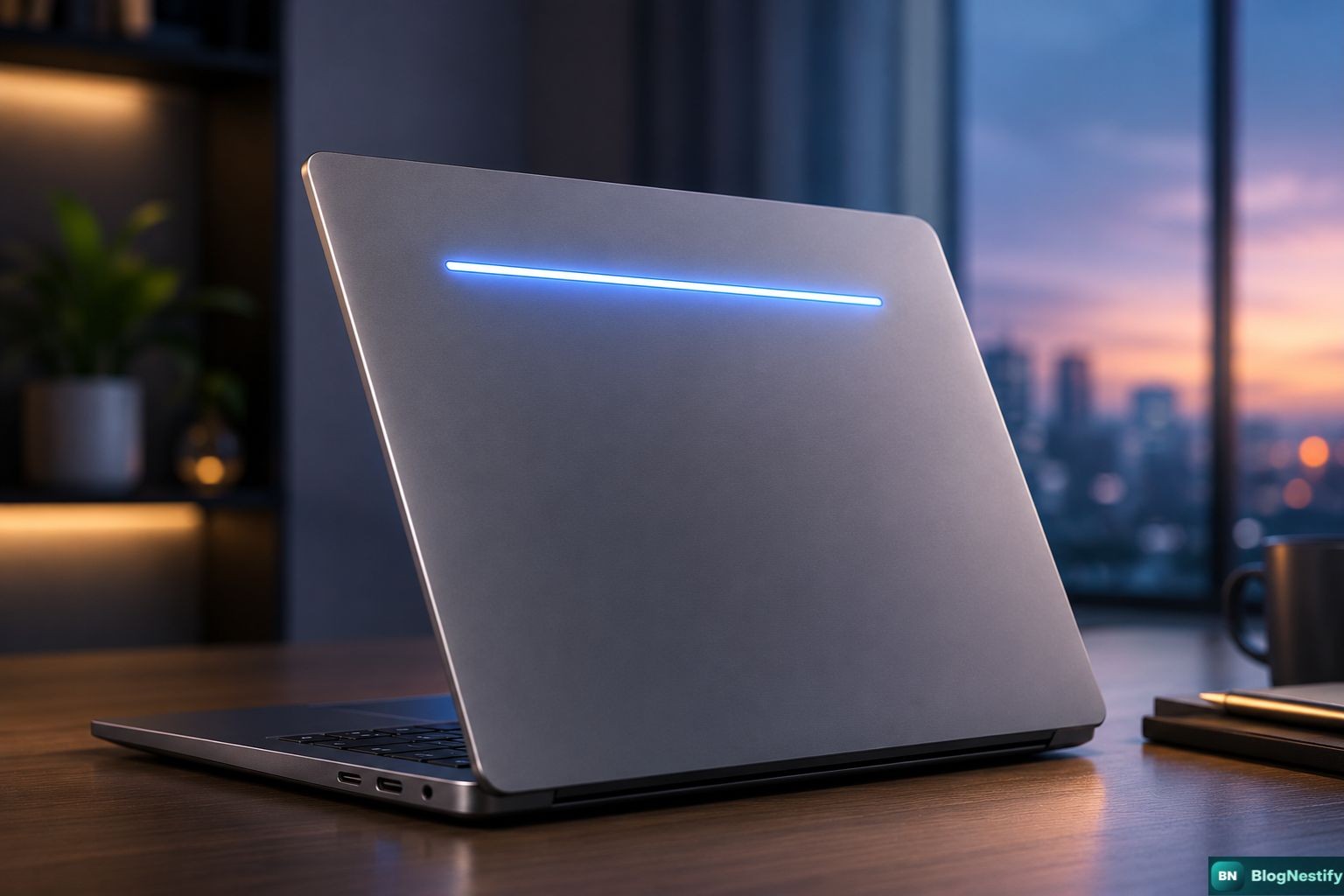
An illuminated LED strip on the laptop lid that functions as the Googlebook's visual identity — and signals functional states. Full capabilities haven't been detailed yet.
Cross-app, multi-step task automation. Photo of a concert flyer? Ask Gemini to find that event on Ticketmaster. Grocery list on screen? Build a cart in your shopping app automatically.
The widget creator is the sleeper feature here. Gemini connects to Gmail, Calendar, and the open web, then constructs a live tile based on your stated priorities. It sounds like something that could easily become the first thing you check each morning — or the first thing you delete after a week if the AI keeps surfacing things you don't care about. Time will tell.
Hardware Partners: Acer, ASUS, Dell, HP, Lenovo
Google isn't building Googlebooks itself — at least not for the first wave. The company is working with Acer, ASUS, Dell, HP, and Lenovo on the launch lineup, covering a range of form factors and sizes. Every device, regardless of brand, will carry the Glowbar and run the same Gemini-first OS. Google describes the hardware as "premium craftsmanship and materials," which reads as a deliberate pivot away from the budget positioning that defined Chromebooks for a decade.
No pricing has been confirmed, but the language Google is using — premium materials, Glowbar design, fall launch — suggests these aren't going to be $399 machines. Given that the MacBook Neo sits at $599 and has Windows competitors scrambling to match its value, Googlebooks probably land somewhere in the $699–$999 range for base configurations. Pure speculation until Google says otherwise.
Googlebook vs MacBook Neo vs Windows Copilot+ PCs
The AI laptop market is a three-way fight now. Here's where things actually stand.
| Feature | Googlebook | MacBook Neo | Copilot+ PC |
|---|---|---|---|
| AI Integration Depth | Foundation-level | Apple Intelligence layer | Copilot in apps |
| Android App Support | Native | No | No |
| Phone Integration | Deep (Android) | iPhone Mirroring (workaround) | Phone Link (basic) |
| AI-Powered Cursor | Magic Pointer | No | Click to Do |
| Custom AI Widgets | Yes (Gemini) | No | Limited |
| OS Maturity | New (Fall 2026) | Mature macOS | Mature Windows 11 |
| Starting Price | TBD (est. $699+) | $599 | Varies (~$699+) |
| Hardware Partners | Acer, ASUS, Dell, HP, Lenovo | Apple only | Most major PC OEMs |
The MacBook Neo has one thing working hard in its favor: people bought it because it's a gorgeous, fast machine at a price that made no sense for how good it is. The AI features — Apple Intelligence rewriting your emails — weren't why the lines formed. Google needs to make sure Googlebooks don't fall into the trap of leading with AI so hard that the actual hardware experience gets lost in the pitch.
Against Copilot+ PCs, Googlebooks have a more natural advantage. Microsoft's Copilot integration has been criticized as intrusive and overpromised. The Recall feature — Microsoft's AI memory for what you've seen on screen — was delayed and flagged for privacy concerns. Magic Pointer is genuinely different in its approach and, based on demos, feels less like AI being forced into a workflow and more like a contextual shortcut layer. But demos and daily use are different things.
My Honest Take
I find myself genuinely curious about Googlebooks in a way I didn't expect. The Magic Pointer is either going to be one of those features where you wonder how you lived without it, or it's going to be the cursor equivalent of Clippy — technically capable, constantly in the way. There's no middle ground with that kind of interaction model.
What gives me pause is Google's hardware history. The Pixelbook was a genuinely excellent machine that Google quietly killed. Chromebooks had years of identity confusion before settling into "the laptop your school buys." Neither of those outcomes screams "we'll still be talking about Googlebooks in 2028." Google acknowledging this pattern doesn't mean they've broken it.
That said — the Android integration alone is something neither Apple nor Microsoft can easily replicate. If you're an Android phone user, the idea of your laptop and phone sharing a file system seamlessly, without any app or cable, is actually compelling. That's a solved problem on the Apple side (though the Continuity features are increasingly strong), and Windows' Phone Link is still playing catch-up. Google has a real ecosystem advantage here, and Googlebooks are the first laptop platform that can actually use it.
Fall 2026 is the moment of truth. Pricing, real specs, battery life, and whether the software holds up outside a press demo will tell the whole story. Until then, this is the most interesting laptop announcement in years — even if it comes with a name that Google is going to spend a lot of money getting people to not confuse with Google Books, the book-scanning project from 2004.
0 Comments
Leave a Comment