Samsung One UI 8.5 Now Rolling Out to Galaxy A36, A56, Z Fold5, and Z Flip5
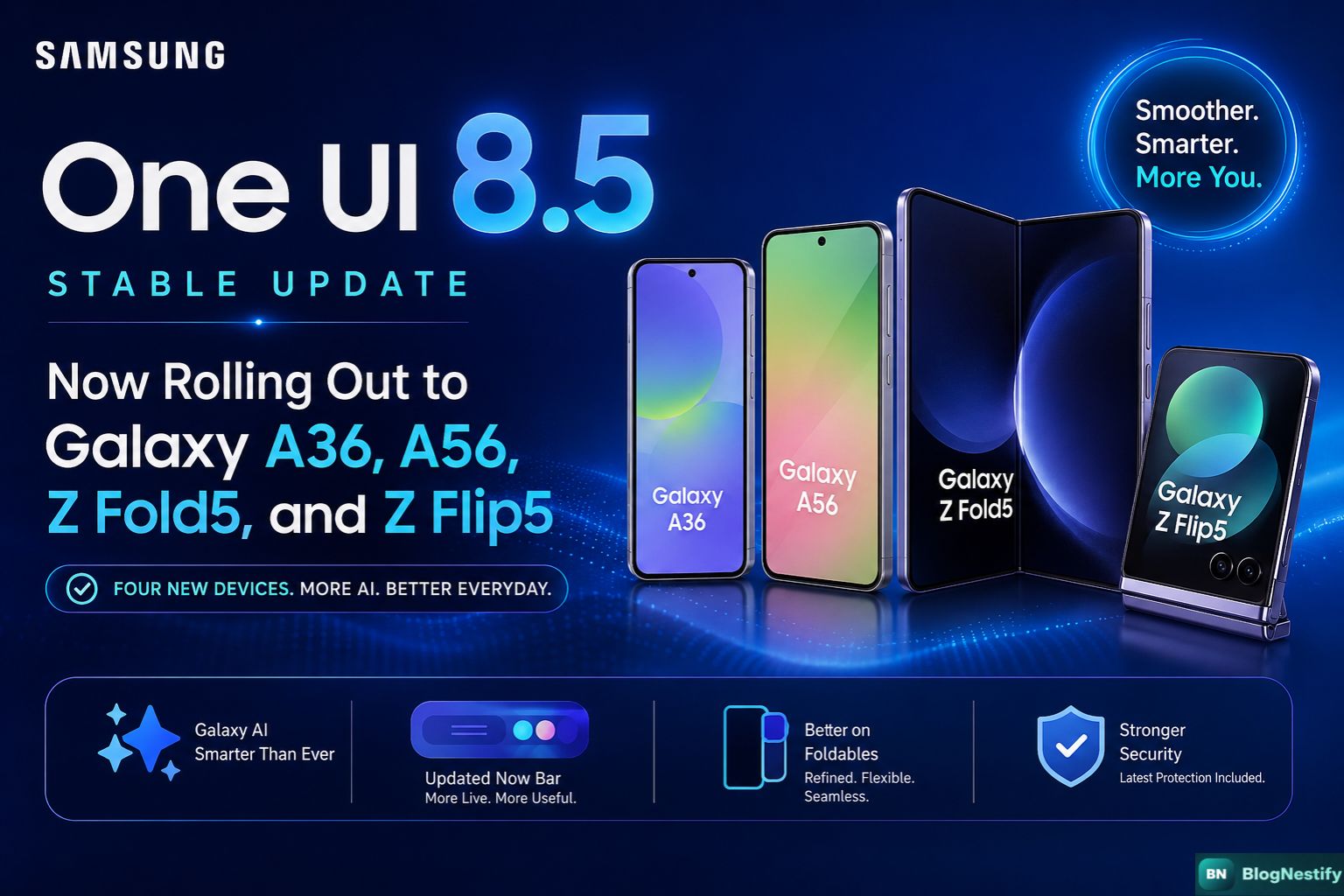
Samsung's One UI 8.5 stable rollout picked up speed this week. Four more devices are now confirmed for the update — Galaxy A36, Galaxy A56, Galaxy Z Fold5, and Galaxy Z Flip5. If your phone is on that list, you're likely already seeing the notification, or you will within days.
The update first started hitting flagship devices a couple of weeks back. Seeing it reach the A-series mid-rangers and older foldables now makes sense — Samsung has been methodical about how it stages these rollouts, starting with Galaxy S devices and working down.
Here's a clear picture of what's in this update, which devices have it, and whether you should bother installing it today.
The Four Devices Getting One UI 8.5
All four of these are getting the stable build — not a beta. That matters because a lot of the rough edges from earlier testing have been ironed out by the time a stable release drops.
What One UI 8.5 Actually Brings
Samsung hasn't published a single universal changelog — what you get depends somewhat on your region and carrier. That said, here's what's consistently been confirmed across devices in this update batch:
Galaxy AI Improvements
The big theme in One UI 8.5 is expanding Galaxy AI to more devices. Features like Live Translate, Note Assist, and Chat Assist are now available on A36 and A56, which previously only had partial AI support. On the Z Fold5 and Z Flip5, these tools get refinements rather than first-time additions.
Updated Now Bar
The dynamic Now Bar (Samsung's lock screen live activity feature) gets a visual refresh and supports more third-party apps. If you use food delivery, ride-sharing, or fitness apps, you'll likely notice more relevant notifications surfaced directly on your lock screen.
Foldable-Specific Changes
For Z Fold5 and Z Flip5 owners specifically:
- Cover screen widgets are more customizable — you can now stack more information without unlocking
- Multi-window behavior is smoother, especially when switching between split-screen and full-screen apps
- Flex Mode panels have been redesigned for a cleaner layout on supported apps
Security & Performance
One UI 8.5 includes the latest Samsung security patch. Battery optimization has also been tweaked — several Galaxy A56 beta testers reported noticeably better screen-on time after updating, though results will vary by usage.
Feature Availability: Quick Comparison
| Feature | Galaxy A36 | Galaxy A56 | Z Fold5 | Z Flip5 |
|---|---|---|---|---|
| Galaxy AI (Core) | ✓ | ✓ | ✓ | ✓ |
| Live Translate | ✓ New | ✓ New | ✓ Improved | ✓ Improved |
| Now Bar | ✓ | ✓ | ✓ | ✓ |
| Flex Mode Panels | – | – | ✓ Updated | ✓ Updated |
| Cover Screen Widgets | – | – | – | ✓ Enhanced |
| Latest Security Patch | ✓ | ✓ | ✓ | ✓ |
How to Install One UI 8.5 on Your Phone
The process is the same regardless of which of these four devices you have:
- Open the Settings app on your Samsung Galaxy phone.
- Scroll down and tap Software update.
- Tap Download and install — your phone will check for available updates.
- If the update is ready in your region, tap Install now. The device will restart to complete the process.
- If nothing shows up yet, wait a few days. Staged rollouts mean not everyone gets it at once.
Should You Update Right Away?
If you have a Galaxy A36 or A56 and you've been waiting on Galaxy AI features, this update is worth installing fairly soon. The AI tools that were previously flagship-only are actually useful for day-to-day tasks, and the performance improvements have been broadly positive based on beta feedback.
For Z Fold5 and Z Flip5 owners, the calculus is a bit different. These are older foldables, and honestly the update is more refinement than reinvention. If your phone has been running well on the previous version, there's no urgent reason to rush it. But the foldable UX changes — especially the Flex Mode redesign — are genuinely better. You'll probably appreciate them once you've used them for a week.
My honest take: install it. Samsung's stable builds rarely introduce serious regressions, and the AI features on A36/A56 are a real upgrade for devices in that price range.
What This Tells Us About Samsung's Update Strategy
One UI 8.5 reaching A36, A56, and the 2023 foldables in the same batch is worth noting. Samsung promised four years of OS updates and five years of security patches for Galaxy A-series devices starting with the A35 generation. They're making good on it.
The interesting part is the Z Fold5 and Z Flip5 receiving this update at the same stage as brand-new mid-rangers. Those foldables launched in mid-2023 — they're nearly three years old by software timelines. The fact that they're still receiving the same stable release as devices from 2025 is exactly what Samsung committed to when they extended their update policy.
It's also a sign that Galaxy AI isn't being used as a reason to push hardware upgrades. At least not yet. The fact that Live Translate and other AI tools are landing on mid-range phones via software rather than being gated behind a new chipset purchase is the kind of thing that builds actual customer trust.
Frequently Asked Questions
Samsung has confirmed One UI 8.5 for Galaxy A36, Galaxy A56, Galaxy Z Fold5, and Galaxy Z Flip5 in this latest batch. The rollout began a couple of weeks ago with flagship devices and is now expanding to mid-range and older foldables.
One UI 8.5 focuses on deeper Galaxy AI integration, an updated Now Bar, improved Bixby routines, lock screen widget customization, and enhanced foldable-specific UX on Fold and Flip devices. Security patches and performance improvements are also included.
Go to Settings, then tap Software update, and select Download and install. If the update is available in your region, it will appear here. You can also check Samsung's official changelog page for your device model.
Samsung releases stable builds only after extended beta testing, so One UI 8.5 is generally safe to install. That said, it's always a good idea to back up your data before any major OS update, just in case.
Samsung has committed to four years of OS updates for Galaxy Z Fold5 and Z Flip5. These devices launched with Android 13, so they are eligible for updates through Android 17. Whether that includes One UI 9 depends on Samsung's future roadmap.
0 Comments
Leave a Comment